
Context-aware ClipsView feature ↗
FREE LOCAL AI · OPTIONAL CLOUD AI
Turn long gameplay VODs into Shorts — automatically
A free tool finds best moments and turns them into TikToks, Reels, and YouTube Shorts—in one click.
No watermark4KSource-quality exportsUp to 4K · 60 FPSYour footage stays localCloud when you need it
ZoneClip AI clipping, editing, rendering, and publishing features
Context-aware Clips
Use gameplay events, visuals, speech, audio, and reactions together to find and rank complete highlights across a long VOD—not isolated spikes.
Explore Context-aware ClipsFlexible Reframing
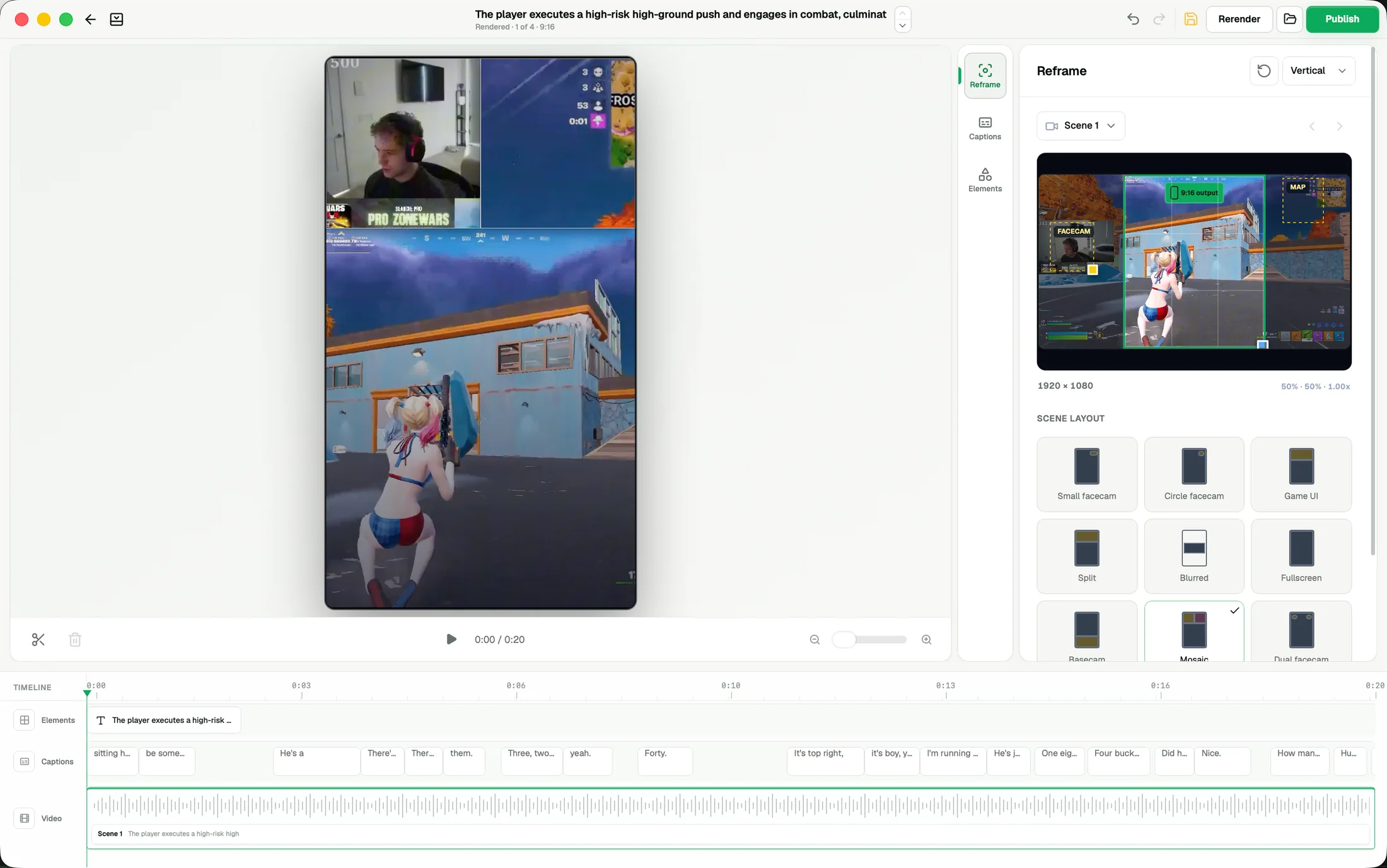
Turn horizontal gameplay and facecam into flexible 9:16 layouts that keep the action, HUD, and creator reaction visible.
Explore Flexible ReframingDynamic Captions
Add editable, animated captions with varied styles, timing, placement, and corrections for player names and game-specific terms.
Explore Dynamic CaptionsFlexible Editing
Build on the first draft with reusable layouts, captions, media, effects, transitions, audio, and multi-track timing.
Explore Flexible EditingAutomated Publishing
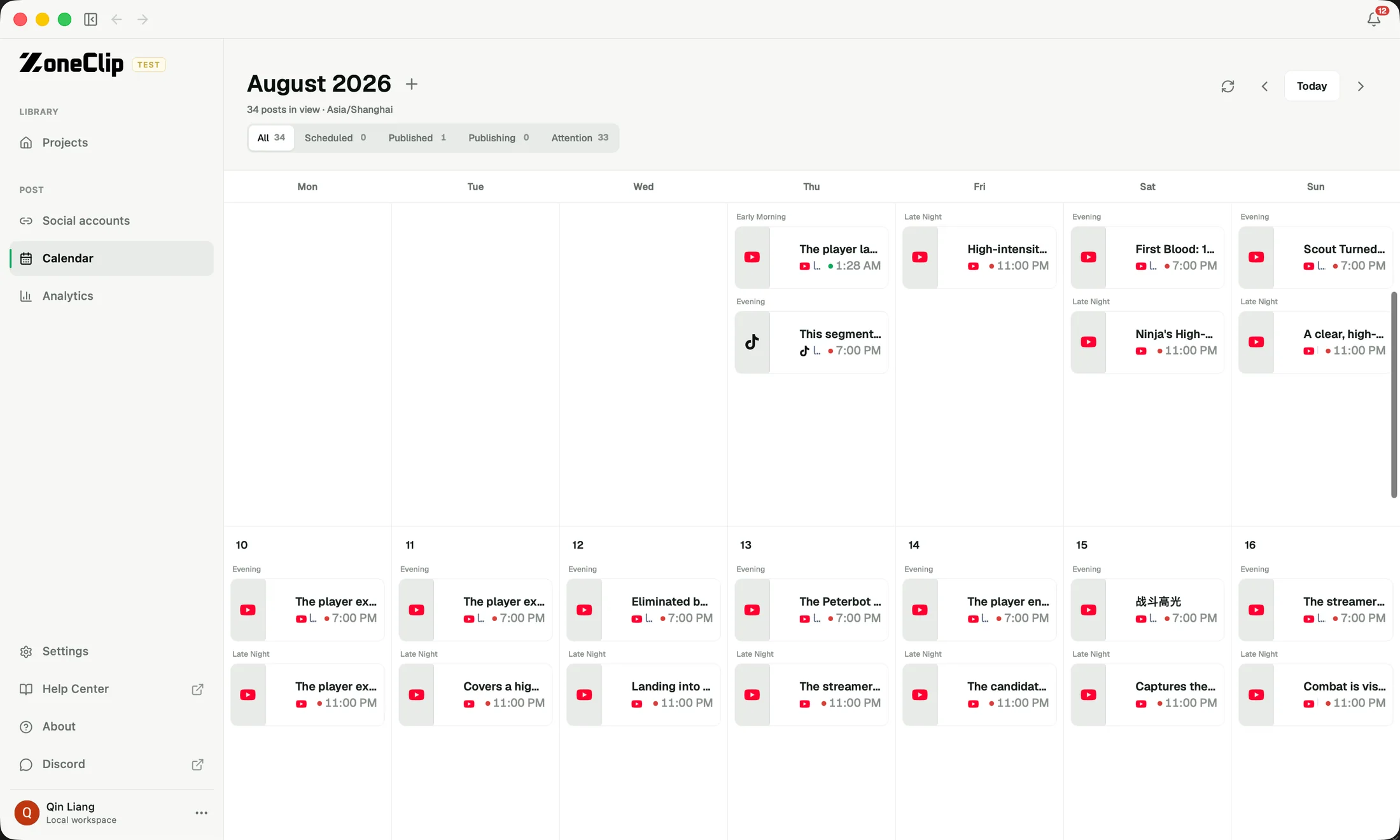
Plan and schedule finished clips across multiple platforms and accounts, then bring performance data back into your workflow.
Explore Automated PublishingContext-aware Clips: Use gameplay events, visuals, speech, audio, and reactions together to find and rank complete highlights across a long VOD—not isolated spikes.
A simple, automated workflow.
- 01
Import your gameplay VOD
Choose a local file or paste a YouTube, Twitch, MP4, or M3U8 link. Set your Reframe and caption preferences before analysis.
- 02
Review and finish the story
ZoneClip ranks connected moments, reframes the action, and gives you editable captions, layouts, and timing.
- 03
Publish on your schedule
Render a polished 9:16 clip from the original and organize publishing across supported social accounts.
Real outputs
Watch all showcases on YouTube See what ZoneClip makes.
Real vertical highlights created from longer gameplay recordings across VALORANT, Apex Legends, Fortnite, and Deadlock.
VALORANT · Real ZoneClip output
VALORANT Clutch Highlight in 13 Seconds
A complete clutch that keeps the setup, elimination, round win, and player reaction in one vertical gaming clip.
Watch on YouTubeApex Legends · Real ZoneClip output
Apex Legends Final Fight to Champion
A final fight preserved through its full payoff, from the last engagement to the Champion result.
Watch on YouTubeFortnite · Real ZoneClip output
Fortnite Gameplay Reframed for YouTube Shorts
Gameplay, facecam, map, and the build fight remain readable together in a flexible 9:16 layout.
Watch on YouTubeDeadlock · Real ZoneClip output
Deadlock Gameplay Highlight with Facecam
Combat, facecam, minimap, and team context stay visible in a social-ready vertical composition.
Watch on YouTubeWhy ZoneClip
A complete free workflow. More ways to run it.
Import files or video URLs, analyze with Local AI, edit, and publish—all without a subscription. For limited local AI capacity or a different processing option, add Zone Cloud. Your choice.
File / URL import → Local AI clips → edit → publish. No subscription. No watermark.
Cloud analysis · $1.50 per source hour · eligible unused time rolls over.
Cloud analysis · $0.97 per source hour · eligible unused time rolls over.
Plus and Pro include 4× and 6× the source-video minutes of OpusClip Starter and Pro at the same USD monthly prices. This is an allowance comparison; features and results differ.
See pricing and comparison sources30 Supported Games


Frequently Asked Questions.
What is ZoneClip?
ZoneClip is a local-first AI gaming clip maker for VODs. It finds and ranks complete moments in gameplay recordings and stream VODs, then turns them into reviewable vertical clips with reframing, editable captions, and effects for YouTube Shorts, TikTok, and Instagram Reels.
Is ZoneClip really free forever? How does that work?
Yes. ZoneClip is a free Local AI clip maker, not a time-limited trial. Import a local recording or supported video URL, analyze and clip it with your own computer, then edit, caption, render, export, and publish without a subscription. There is no watermark or commercial-use restriction. Publishing requires an internet connection and connected social accounts, not a paid plan. ZoneClip Plus costs $15/month for 600 source-video analysis minutes (10 hours). ZoneClip Pro costs $29/month for 1,800 source-video analysis minutes (30 hours). These are optional cloud-analysis plans; the complete Local AI workflow needs no subscription. Prices are USD, billed monthly. Subscribe in the desktop app under Plan & Usage.
How do I import a VOD into ZoneClip?
Choose a local recording or import an HTTPS YouTube, Twitch, direct MP4, or M3U8 link. URL imports download the source to your device and depend on source availability and platform restrictions. Only import recordings you have permission to use.
Do I need an account to use ZoneClip?
No account is required to download ZoneClip or use the local workflow. Sign in to use Zone Cloud analysis, manage a subscription, or connect social accounts for publishing and analytics.
Does ZoneClip upload my original VOD?
No. ZoneClip does not upload your full, original-quality VOD. After the required models are installed and the source video is on your device, Local processing mode can run the content-processing workflow fully offline. Highlight analysis, speech recognition, editing, captioning, and rendering stay on the device; no video, proxy, transcript, prompt, or analysis data is sent to a remote AI provider. Downloading a video URL and publishing to social platforms require internet access, but not a ZoneClip subscription. Local-first means ZoneClip provides that fully offline local mode and keeps the original footage and final render on the device. A custom provider may be local or remote, and Zone Cloud is remote; those optional paths use a network connection only when the user selects them.
How is this different from a generic AI clipper?
Generic tools are built for many content types and often surface isolated spikes. ZoneClip is designed around game events, player reactions, connected moments, gameplay-aware reframing, editable captions, local rendering, and an optional publishing workflow.
Which games does ZoneClip support?
ZoneClip supports highlight detection and finished clip creation for all 30 games in the Supported Games directory. Each listing explains event coverage, input requirements, and known limitations. Other games may still work, but highlight detection and final clip quality are not guaranteed.